How it works
Set it once. Biter does the refreshing.
Getting into a hard restaurant used to mean knowing the drop time, being awake for it, and then checking back for cancellations for days. Concierge turns that into one setting.
The five steps
- Step 1
Choose the restaurant
Open any restaurant in Biter, including the ones you saved from TikTok or Instagram, and tap the alert. That is the whole setup.
- Step 2
Say exactly what you want
Your party size, the dates you want and the hours you want to sit down. Ask for Friday at 8 and Concierge hunts for Friday at 8; give it the whole weekend and it brings you every option.
- Step 3
Biter keeps checking
Concierge monitors every restaurant you watch, day and night. Scheduled drops, released holds and cancellations all show up the same way: as a table you can book.
- Step 4
You get the push
The notification names the restaurant, the time and the party size, and opens the booking page on the restaurant’s platform in one tap.
- Step 5
You book it
The reservation is made in your own Resy, OpenTable or SevenRooms account, under the restaurant’s own deposit and cancellation rules. Biter is never in the middle of it.
What it looks like in the app
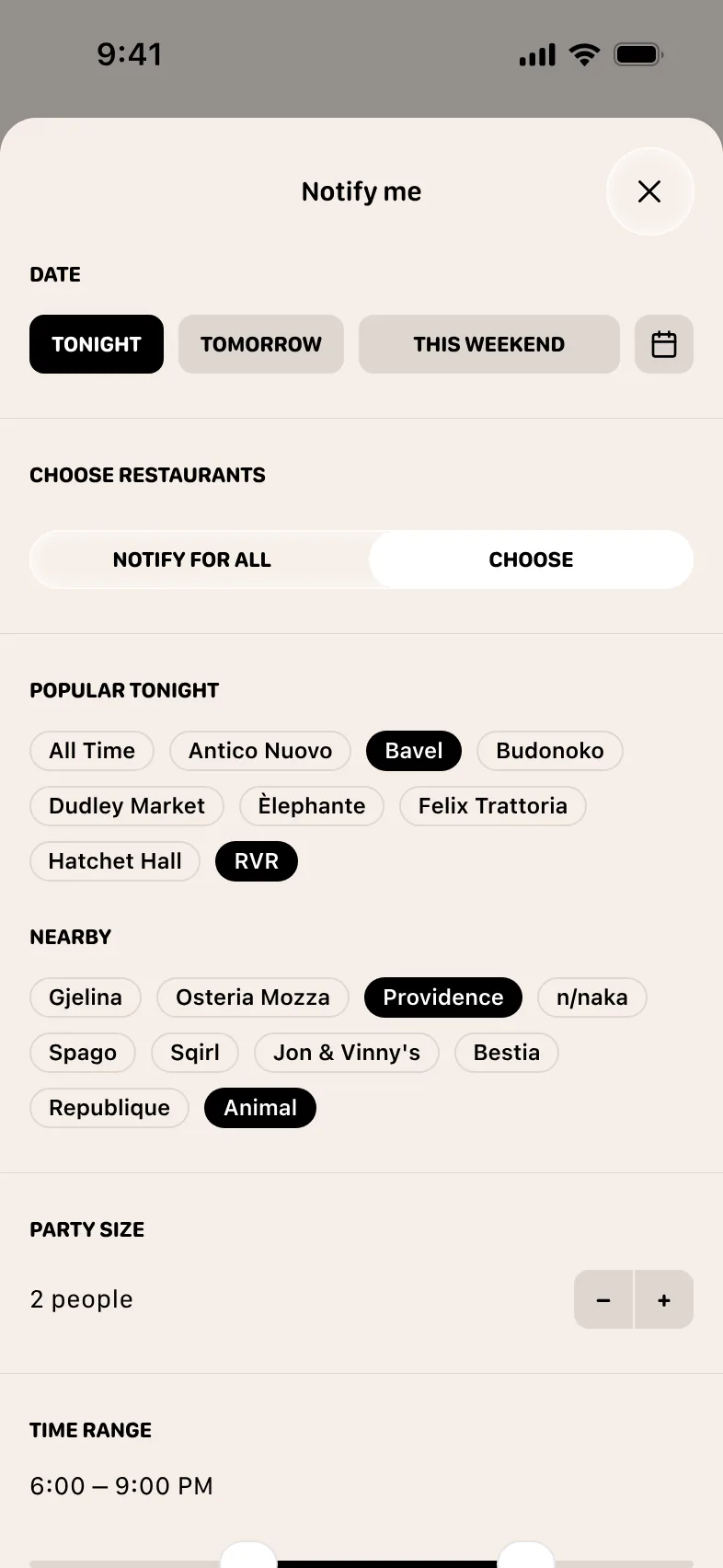
Pick the restaurants, the dates and the hours you want.
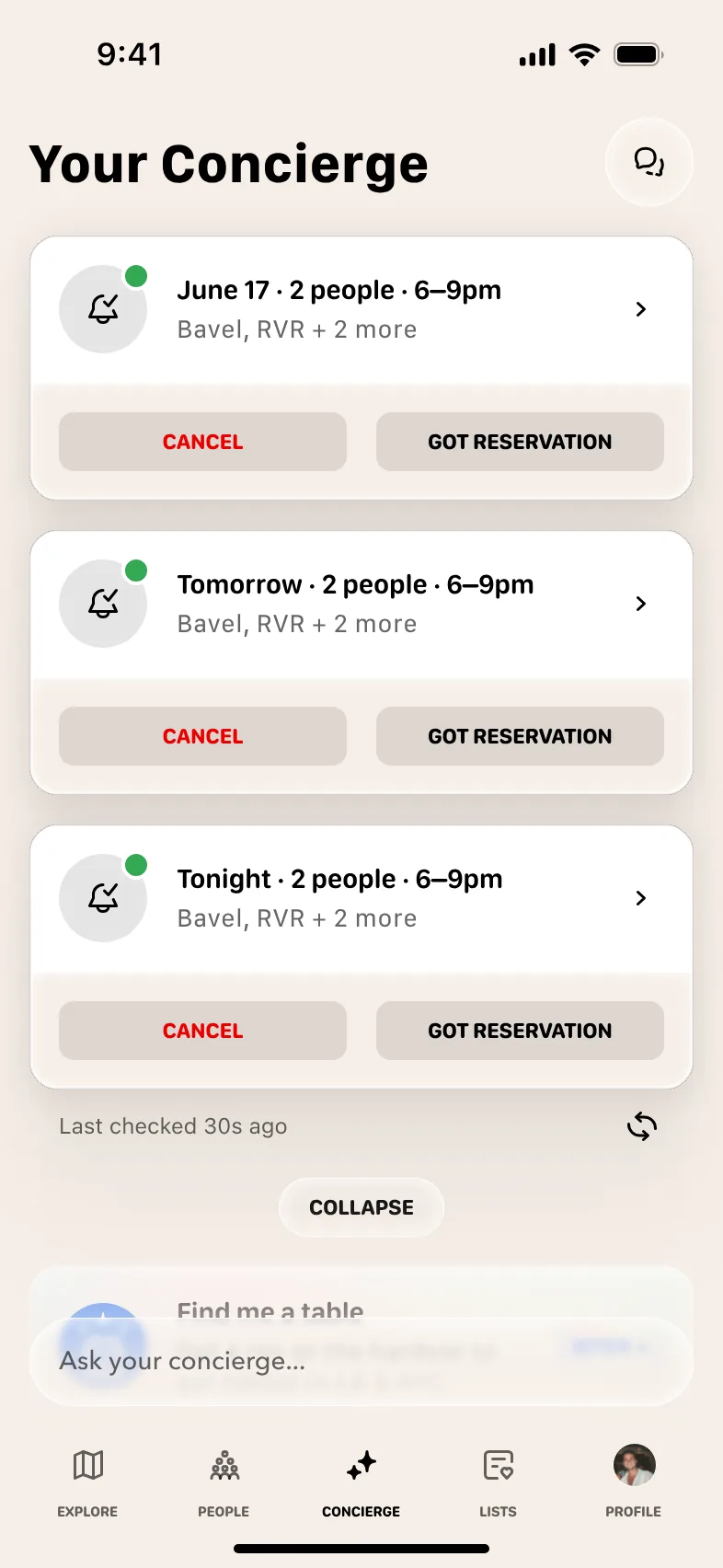
Every watch stays live until you cancel it or you get the table.
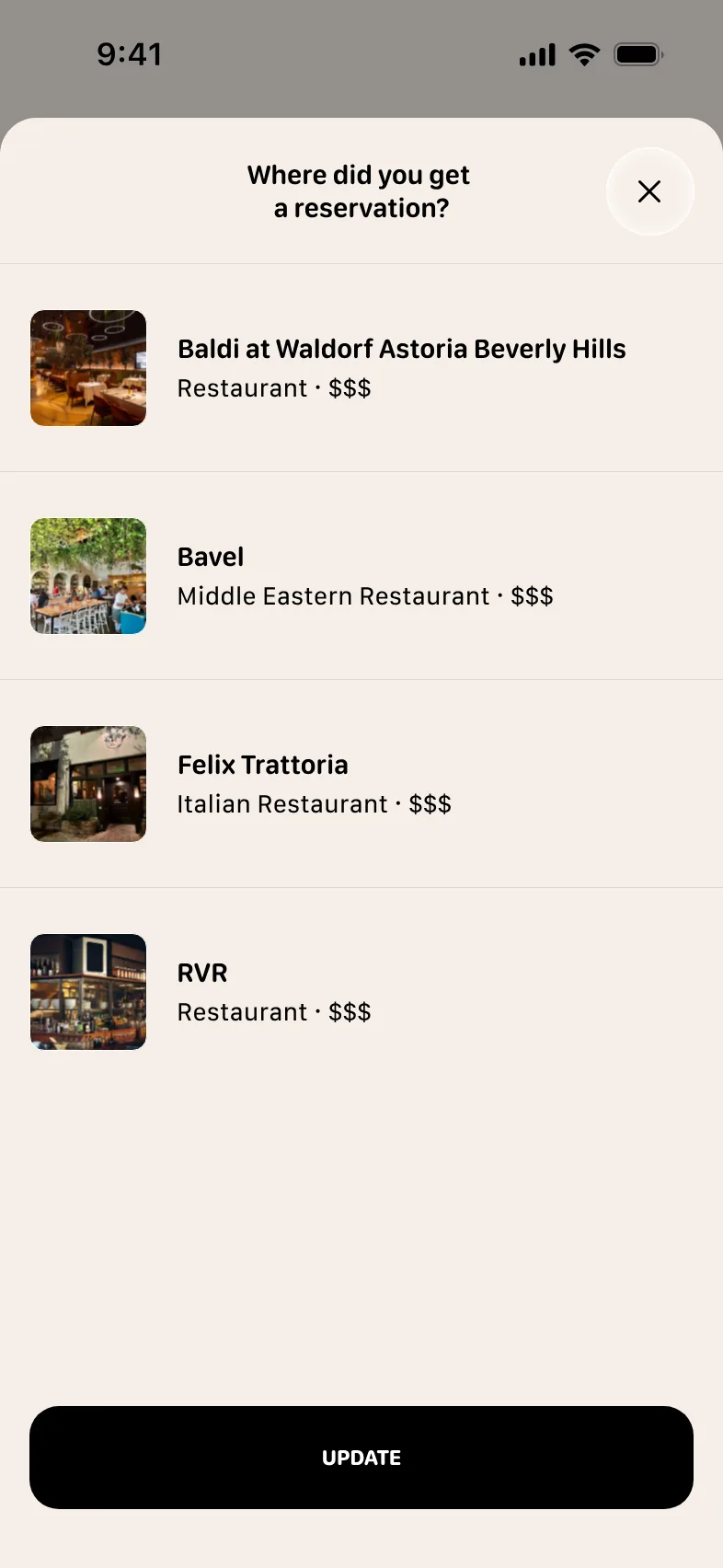
Tell Biter where you booked and the other watches stand down.
Why around-the-clock matters
A cancelled table at a popular restaurant is often claimed within a minute. An alert that only looks now and then misses most of them. Concierge never stops watching, so the gap between a table appearing and your phone buzzing is small enough to act on.
It also means you do not need to know the restaurant’s release schedule. Whether tables arrive in a 10am drop, a midnight batch or a Tuesday-afternoon cancellation, the next check catches them.
What an alert is not
- It is not a reservation. A matching table was available when Biter checked, and someone else may claim it first.
- It is not a hold. Biter never books, holds, transfers or resells a table, and never charges for access to one.
- It is not a way around the restaurant’s rules. Deposits, party-size limits and cancellation fees are the restaurant’s and apply as usual.
A cancellation, clocked to the second
A table for two cancels
Someone releases their 8:00 pm at Carbone. It reappears on Resy with no announcement.
Biter is watching
Concierge is watching around the clock, so the opening is caught within a second of appearing.
Your phone buzzes, seconds later
The push carries the restaurant, the time, the party size and a link straight to the booking page.
 Table open at Carbonenow
Tonight 8:00 PM, party of 2. Tap to book on Resy.
You confirm on Resy
You book in your own account, under the restaurant’s normal terms. Biter never holds or resells a table.
Get more out of a watch
- Sign in to Resy, OpenTable and SevenRooms on your phone before the alert lands. The booking page opens faster when you are already logged in.
- Keep Biter notifications on, and allow time-sensitive alerts if your phone asks.
- Want more options? Widen the window. A 6:00 to 9:30 range across three nights turns up far more tables than 7:30 sharp on a Saturday, and you still get to pick.
- Do not stack bookings you will not use. No-show fees are real, and unused holds keep other people out.
Stop refreshing. Start eating.
Set a watch on the tables you want and let Biter do the checking.
Get BiterBiter is free. Concierge is part of Biter+, $15 a month or $134.99 a year, with two weeks free to start.